


 Home > YouTube Tips > Convert YouTube to WAV
YouTube to WAV Converter: 10x Faster & Truly Lossless

Need to convert YouTube to WAV? Use KeepMusic, this YouTube to WAV converter that gives you uncompressed, lossless audio perfect for editing and archiving. Whether you're a music producer, podcaster, or audio enthusiast, KeepMusic delivers studio-quality WAV files directly from any YouTube video – safe, fast, and without annoying ads.
Why Choose KeepMusic for YouTube to WAV Conversion
When looking for a reliable YouTube to WAV converter, most online tools come with intrusive ads, malware risks, or hidden fees. KeepMusic is different.
| Feature | KeepMusic | Other Converters |
|---|---|---|
| Ad-free experience | ✅ Yes | ❌ Usually full of pop-ups |
| Safe & clean | ✅ No malware, no spyware | ❌ Risky third-party ads |
| Fast conversion speed | ✅ High-speed servers | ❌ Slow or throttled |
| Supports original quality | ✅ Up to 48kHz / lossless | ❌ Often downgraded to 128kbps |
| Supports 17+ platforms | ✅ YouTube, Vimeo, Dailymotion, TikTok, and more | ❌ YouTube only |
With KeepMusic, you get the best YouTube to WAV converter for music production that professionals trust. No distractions. No compromises.
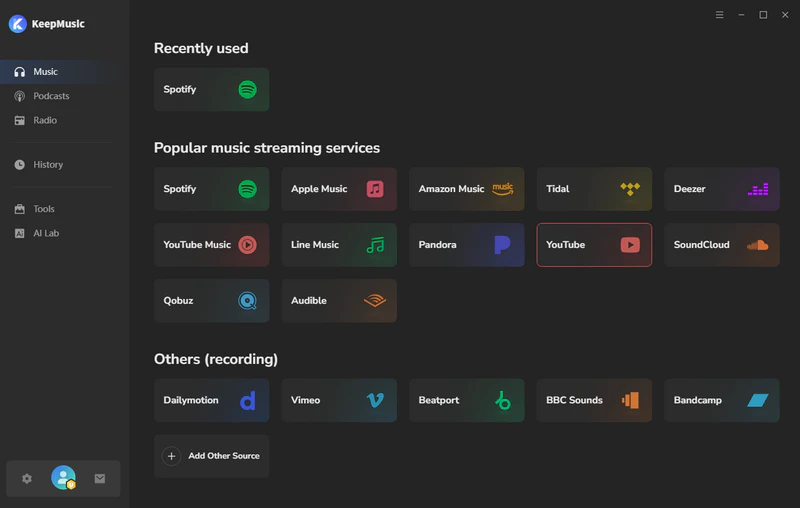
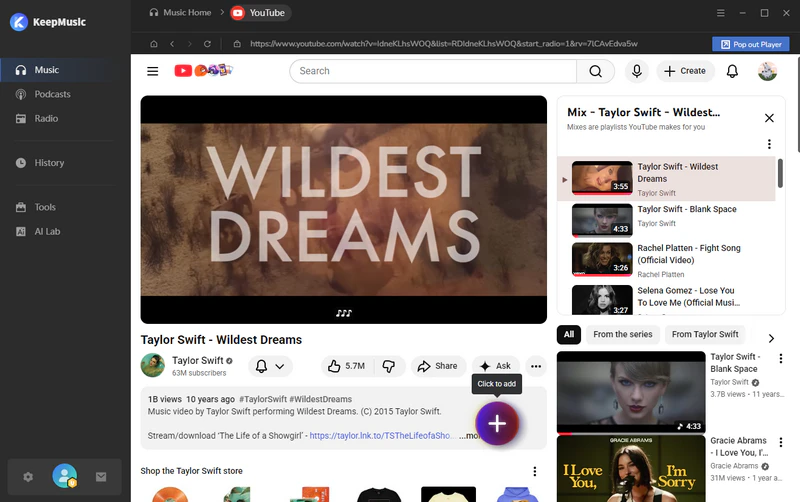
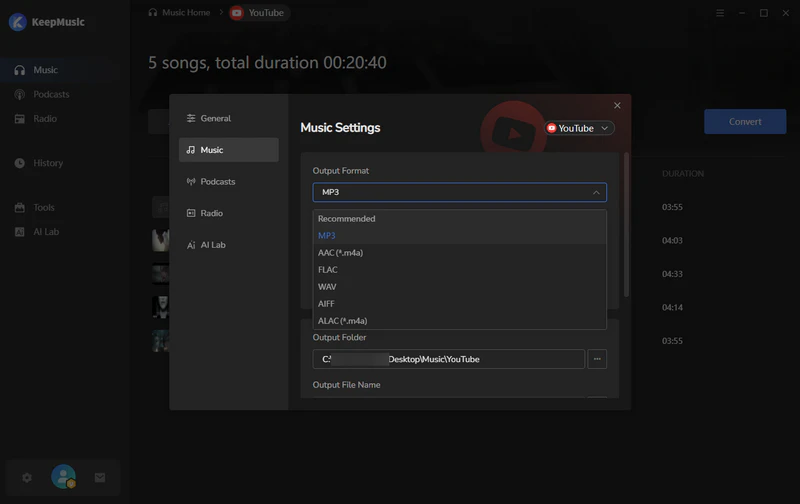
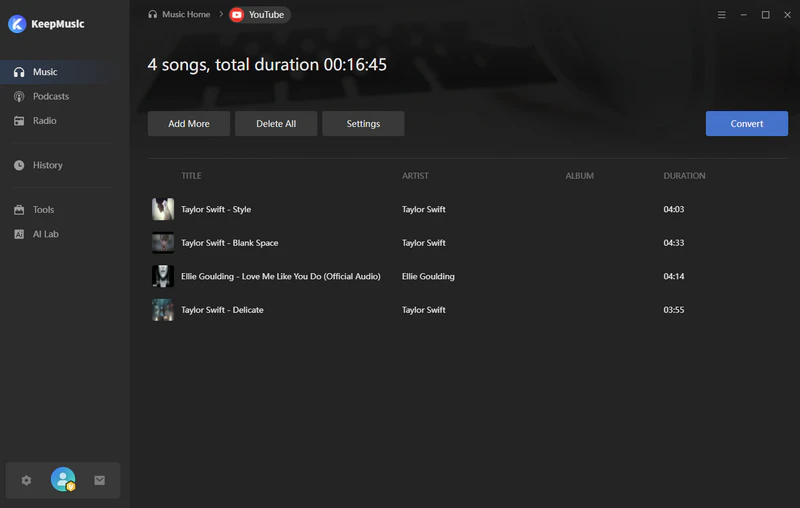
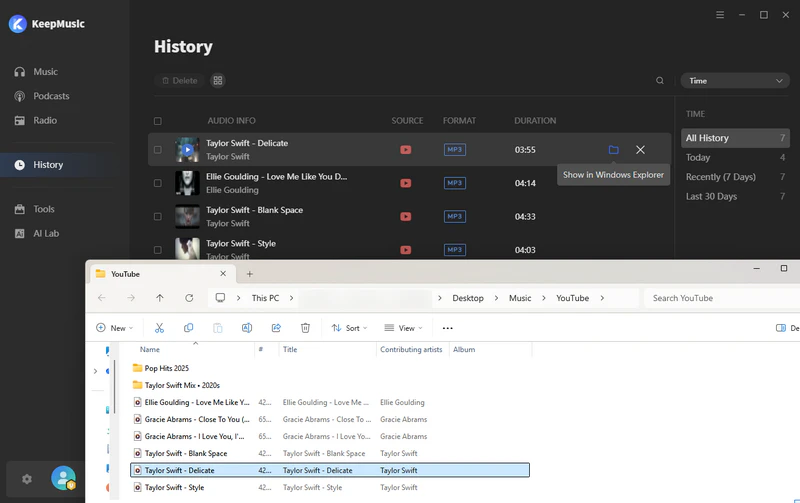
How to Convert YouTube to WAV in 5 Simple Steps
WAV vs. MP3: Why Choose Lossless Audio for Your Projects
Many users settle for MP3 because it's smaller. But if you need uncompressed audio from YouTube, WAV is the only choice that makes sense.
| Format | Compression | Quality | Best For |
|---|---|---|---|
| MP3 | Lossy (discards data) | Noticeable quality loss | Casual listening, small storage |
| WAV | None – uncompressed | Perfect original quality | Editing, mastering, archiving |
| FLAC | Lossless (compressed) | Perfect original quality | Storage with smaller size |
What is Lossless Audio and Why Does It Matter?
Lossless audio means no data is thrown away. When you use KeepMusic as your YouTube to WAV converter, you get the exact audio stream as uploaded – minus YouTube's mild compression.
This is critical for:
- Music Production – Sampling, remixing, or stem extraction requires clean, uncolored source material.
- Podcast Editing – Cutting, EQing, and leveling are distortion-free when starting from youtube to wav for editing.
- Archival – WAV files are the industry standard for long-term preservation. They won't degrade over time or across re-encodes.
Frequently Asked Questions About YouTube to WAV
1. Is it legal to convert YouTube to WAV?
Converting YouTube to WAV is legal when you have permission from the copyright holder or when your use qualifies as fair use (e.g., criticism, education, or non-commercial remixing). However, downloading copyrighted music for personal listening without permission may violate YouTube's Terms of Service. KeepMusic encourages responsible use – always respect creators' rights.
2. Is WAV truly lossless?
Yes. WAV (Waveform Audio File Format) stores audio without any compression. That means zero data loss. However, if the original YouTube video already uses a lossy codec (like AAC or Opus), converting to WAV won't add lost detail – but it will prevent further quality degradation during editing and re-export. For youtube to wav high quality 48khz outputs, KeepMusic captures the highest available stream.
3. Why are my WAV files so large?
WAV files are uncompressed. A 3-minute song in MP3 might be 3–4 MB. The same song in WAV can be 30–40 MB. That's normal. Large file size is the price you pay for uncompressed audio from YouTube. If storage is a concern, consider KeepMusic's other lossless output formats like FLAC (smaller but still perfect quality) or ALAC (Apple Lossless).
4. Can I convert a 1-hour podcast to WAV?
Absolutely. KeepMusic handles long-form content with no time limits. Just remember a 1-hour WAV file can be 600–700 MB. We recommend using WAV for the editing phase, then exporting your final podcast as MP3 or AAC for distribution.
5. What other platforms does KeepMusic support?
KeepMusic isn't just a YouTube to WAV converter – it's an all-in-one solution supporting 17+ platforms, including: YouTube (including YouTube Music), Vimeo, Dailymotion, TikTok, SoundCloud, Spotify, Apple Music, and more.
Output formats include MP3, AAC, WAV, FLAC, AIFF, and ALAC – so you can choose lossless or compressed based on your workflow.
Disclaimer: KeepMusic is designed for personal, educational, and research purposes only. We do not encourage or condone the downloading of copyrighted material in violation of YouTube's Terms of Service or local copyright laws. Users are solely responsible for ensuring they have the legal right or permission from the copyright holder to download any content. KeepMusic does not host any files and is not affiliated with YouTube or Google. By using this tool, you agree to use it at your own risk and in compliance with all applicable regulations.