


 Home > Articles > Spotify Downloader to MP3 320kbps
Top 10+ Spotify Downloader to MP3 320kbps in 2026

Although Spotify now supports Lossless audio quality, many users still prefer to download songs in 320kbps MP3 format for unrestricted use on MP3 players, car systems, or other playback devices. However, Spotify does not support direct export of MP3 files, and all downloaded content is playable only within the Spotify app.
Consequently, various Spotify downloaders remain highly popular in 2026. This article compiles a list of top 10+ Spotify to MP3 320kbps downloaders, including desktop software, free online Spotify playlist downloaders, and Android apps, to help you quickly identify the option that best suits your needs.
Part 1. Best Overall Spotify to MP3 Downloader - KeepMusic
KeepMusic is a powerful music downloader that supports downloading music from all major platforms, including Spotify, Apple Music, YouTube Music, and more. It supports batch downloading and converting Spotify songs, playlists, albums, podcasts, audiobooks, and radio into high-quality 320kbps MP3 and lossless FLAC formats while preserving full ID3 tags. Additionally, KeepMusic features free built-in tools that allow users to convert formats, edit tags, burn Spotify tracks to CD, and more. Overall, KeepMusic remains one of the most stable and well-rounded options for converting Spotify music to 320kbps MP3.
KeepMusic Spotify to MP3 Downloader
| Platform | Output Format | 320kbps | Playlist Download | Ads-free | Batch Download |
| Windows & Mac | MP3/AAC/FLAC/WAV/ALAC/AIFF | ✅ | ✅ | ✅ | ✅ |
|
Pros✅ Supports multiple platforms Outputs high-quality 320kbps MP3 Batch downloads and preserves full ID3 tags Simple and Ad-free interface |
Cons⚠️
Desktop only |
How to Download Spotify to 320kbps MP3?
Step 1 Install and launch KeepMusic on your computer, then select Spotify from the supported list.
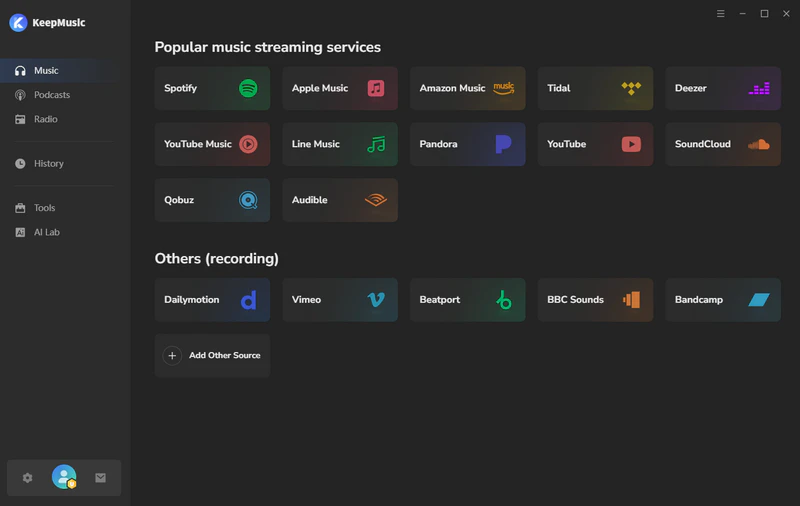
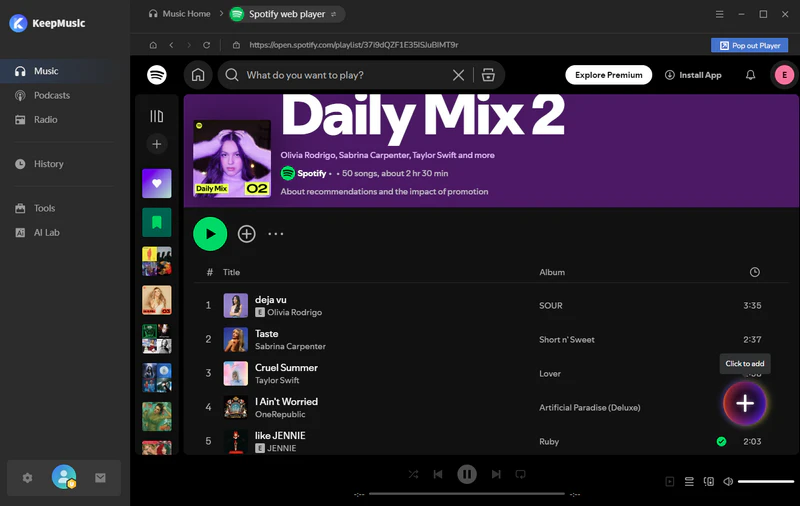
Step 2 Log in to your Spotify account, find the tracks you want to save, and then click the "+" button to add them to KeepMusic.
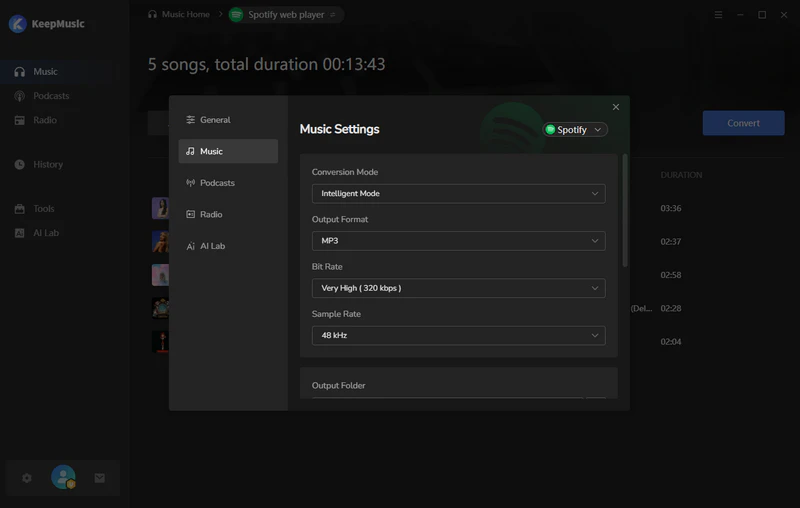
Step 3 Go to the Spotify music settings page, select MP3 as the output format, and set the Bit Rate to 320kbps.
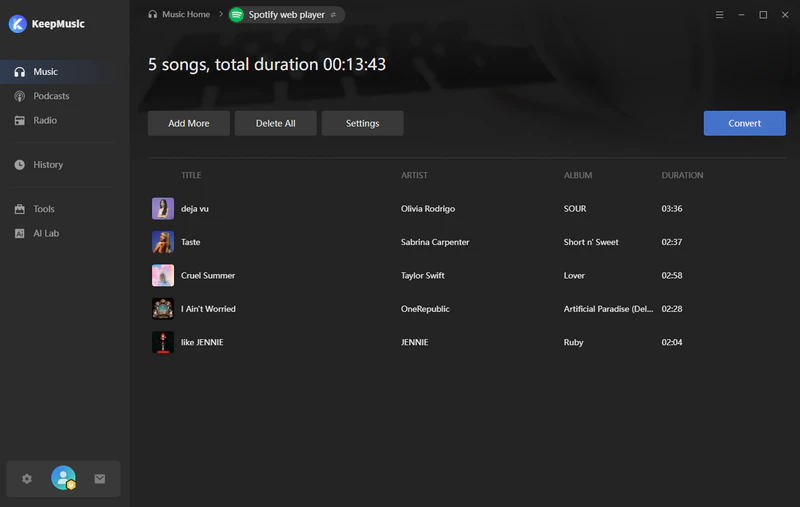
Step 4 Click the "Convert" button, and KeepMusic will save the music to your local computer at 10x speed.
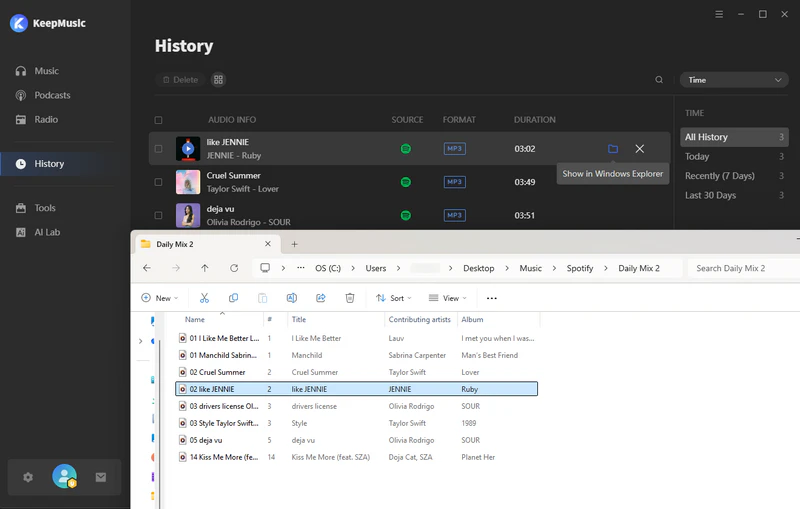
Step 5 Once the conversion is complete, go to History to view the downloaded MP3 file.
Part 2. Free Spotify Playlist Downloader online
1. SpotMate
SpotMate is an online Spotify music downloader that allows users to convert Spotify tracks, playlists, and albums into high-quality MP3 files. The simple and user-friendly interface allows users to easily paste a Spotify link to start downloading. It also supports batch downloading, but the free plan only allows a mini ZIP download of up to 3 songs, making it more suitable for users who only need to download music occasionally.

| Platform | Output Format | 320kbps | Playlist Download | Ads-free | Batch Download |
| https://spotmate.online/en | MP3 | ✅ | ✅ | ✅ | Free mini ZIP (3 songs) |
|
Pros✅ Ad-free and easy to use No installation required |
Cons⚠️
Limited batch download Slow and unstable download Unable to retain complete song lyrics |
Step 1 Visit https://spotmate.online/en1 on your browser.
Step 2Open Spotify, copy the link to the song you want, and paste it into the input box on the website.
Step 3Click the Start button, wait for the download link to generate, and then click the "Convert" button next to the song to save the MP3 file.
2. SpotiDown
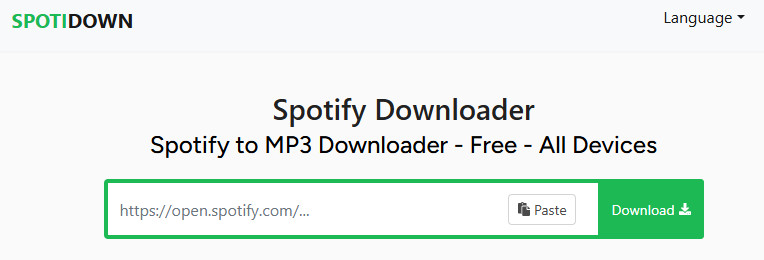
Spotidown is a Spotify downloader that allows users to convert Spotify music into MP3 format for free. It offers fast conversion speeds and supports batch downloading of Spotify tracks, albums, and playlists. In addition, it is easy to use and works across multiple devices, ideal for quickly downloading music for offline listening.
| Platform | Output Format | 320kbps | Playlist Download | Ads-free | Batch Download |
| https://spotidown.app/en3 | MP3 | ✅ | ✅ | ❌ | Limited to 5 tracks |
|
Pros✅ Free to use Fast conversion speed |
Cons⚠️
Contains redirect ads Some links fail to parse Batch download limited to 5 tracks |
Step 1 Copy Spotify song, album, or playlist link.
Step 2Paste the link into the box on the SpotiDown website.
Step 3Click the Download button, then click the "Download MP3" button to save the Spotify music.
3. Spotisaver
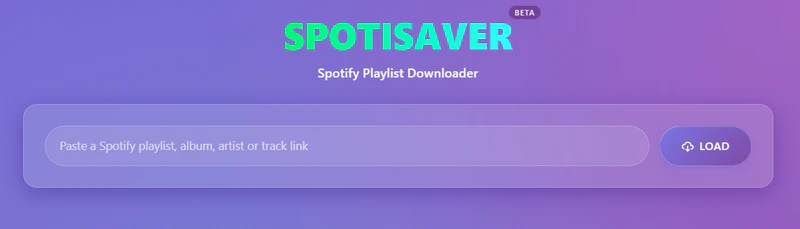
Spotisaver is an easy-to-use Spotify playlist downloader that converts Spotify playlists into 320kbps MP3 files by simply pasting a link. This tool enables batch download of entire playlists and albums as ZIP archives, with basic ID3 tag information for easier music library management.
| Platform | Output Format | 320kbps | Playlist Download | Ads-free | Batch Download |
| https://spotisaver.net/en/spotify-playlist-downloader | MP3 | ✅ | ✅ | ✅ | ✅(up to 100 tracks) |
|
Pros✅ Download Spotify music online for free Supports batch downloading of playlists and albums |
Cons⚠️
Download speed is slow Includes Spotisaver tag in filenames |
Step 1 Open Spotify and copy the playlist link.
Step 2Visit to https://spotisaver.net/en/spotify-playlist-downloader and paste the link into the input box.
Step 3Click the "Load" button, select the "Download" button next to a single track, or click the "Download Entire Playlist" button to download the entire list as a ZIP file.
4. Spomp3
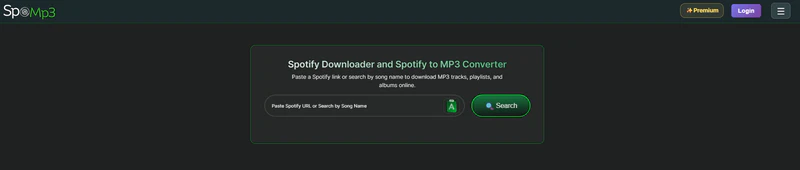
As an online Spotify to MP3 converter, Spomp3 supports downloading tracks, playlists, and albums from Spotify as high-quality 320kbps MP3 files by pasting Spotify links or searching for song titles. It works on any device without requiring a Spotify Premium subscription. However, the free version does not support batch playlist downloads and contains redirect ads.
| Platform | Output Format | 320kbps | Playlist Download | Ads-free | Batch Download |
| https://spomp3.com/ | MP3 | ✅ | ✅ | ❌ | ✅(Premium Only) |
|
Pros✅ No Signup Required Supports searching by song title or pasting Spotify links |
Cons⚠️
Contains redirect ads The free version does not support batch downloads Download speed and performance occasionally be unstable |
Step 1 Open https://spomp3.com/ on your mobile or computer browser.
Step 2Paste a Spotify link into the search box, or search for the song title.
Step 3Click the Search button, then click the Download button next to the song and wait for the download to complete.
5. SpotiLab
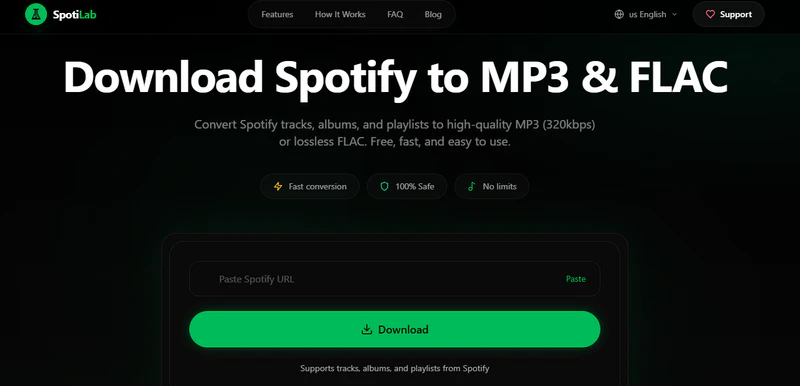
Compared to other online Spotify music downloaders, SpotiLab not only supports 128kbps and 320kbps MP3, but also lossless formats like FLAC and WAV. It supports batch download Spotify songs, albums, playlists, and podcasts while retaining ID3 information such as album art, artist, and album. No installation or login is required, and it works directly in browsers on both mobile and desktop devices.
| Platform | Output Format | 320kbps | Playlist Download | Ads-free | Batch Download |
| https://spotilab.com/ | MP3/FLAC/WAV | ✅ | ✅ | ❌ | ✅(up to 50 tracks) |
|
Pros✅ Supports 320kbps MP3, FLAC, and WAV Can download Spotify music in batches |
Cons⚠️
Contains Ads Batch download is limited to 50 tracks per playlist |
Step 1Copy the Spotify song, album, or playlist link and paste it into the SpotiLab website.
Step 2SpotiLab will automatically parse the link, then select 320kbps MP3.
Step 3Click the Download button and wait for the MP3 file to be saved to your device.
6. SpotiSongDownloader
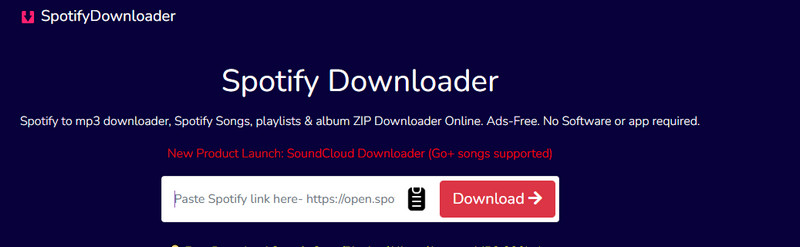
SpotiSongDownloader is a free online Spotify song downloader. It allows you to download Spotify songs and playlists in 64kbps–320kbps MP3 and 128kbps M4A formats, meeting different audio quality needs. You can also download Spotify playlists and albums using the ZIP download button. The overall user experience is simple and fast, making it suitable for quickly saving Spotify music to local devices.
| Platform | Output Format | 320kbps | Playlist Download | Ads-free | Batch Download |
| https://spotisongdownloader.com/en1/ | MP3/M4A | ✅ | ✅ | ✅ | ✅(limited to 100 songs) |
|
Pros✅ Offers 64kbps–320kbps MP3s Supports ZIP download function |
Cons⚠️
3 free song downloads per day Limited download speed |
Step 1Open Spotify, find the song, album, or playlist you want to download, and copy the link.
Step 2Visit SpotiSongDownloader website and paste the copied Spotify link into the input box.
Step 3 Click the "Generate download link" and select your desired audio quality: 64-320kbps MP3, and wait for the song to download completely.
7. Spotdown.org
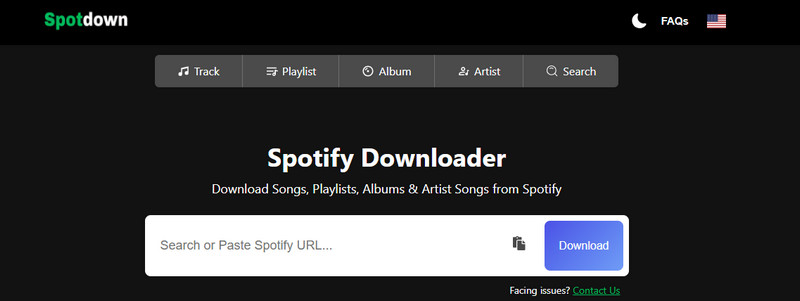
Spotdown.org is a completely free online Spotify downloader that allows you to download Spotify songs, playlists, albums, and artist tracks in 320kbps MP3 format. Simply paste a Spotify link or search by keyword to quickly download music on desktop or mobile browsers. It also supports unlimited batch playlist downloads, making it easy to save entire Spotify playlists with one click.
| Platform | Output Format | 320kbps | Playlist Download | Ads-free | Batch Download |
| https://spotdown.org/ | MP3 | ✅ | ✅ | ❌ | ✅ |
|
Pros✅ Completely free to use Supports batch playlist downloads |
Cons⚠️
Contains redirect ads Unable to select audio quality |
Step 1Go to https://spotdown.org/ in a browser.
Step 2Copy the Spotify URL and paste the copied link in the input field.
Step 3Click "Download Now (All Songs)" to download in bulk, or click the "Get Link" button next to a single song to download it individually.
8. Spowload
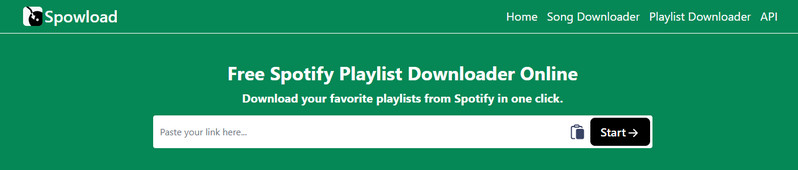
Spowload offers free online downloads of Spotify music in high-quality MP3 format. It supports songs, albums, and playlists, and more by simply pasting a Spotify link, with no software installation or account registration required. The site is designed for fast and convenient use across all browsers, making it accessible anytime and anywhere.
| Platform | Output Format | 320kbps | Playlist Download | Ads-free | Batch Download |
| https://spowload.cc/spotify-playlist-downloader | MP3 | ✅ | ✅ | ✅ | ✅(Premium Only) |
|
Pros✅ No installation or registration required Quick conversion and simple interface |
Cons⚠️
Unable to download in bulk for free Some downloads have low audio quality |
Step 1Open the Spowload website in your browser.
Step 2Copy and paste the Spotify link into the input box.
Step 3Click the Start button, then click the convert button next to the song.
Step 4After the download link is generated, click the Download button to save the converted MP3 file to your device.
Part 3. Spotify Music Downloader Android
9. Sidify Spotify Music Downloader APK
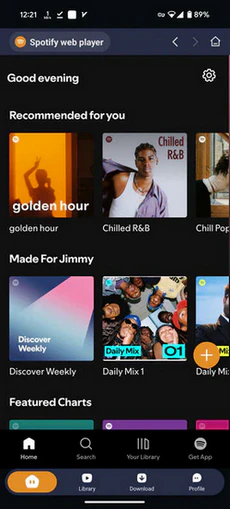
Sidify Spotify Music Downloader APK allows Android users to convert Spotify music into 320kbps MP3 and other popular formats for offline listening. It provides direct access to Spotify content within the app and supports batch downloading with up to 10x conversion speed. It offers an ad-free experience and a simple installation process, making it a reliable Spotify downloader for Android users.
| Platform | Output Format | 320kbps | Playlist Download | Ads-free | Batch Download |
| Android | MP3/WAV/FLAC/ALAC | ✅ | ✅ | ✅ | ✅ |
|
Pros✅ Convert Spotify to MP3 and other formats Preserve the original sound quality and full ID3 Tags Allows batch downloading with up to 10x conversion speed |
Cons⚠️
Requires installation |
Step 1Download and install the Sidify Spotify Music Downloader APK on your Android device.
Step 2Open the app and log in to your Spotify account.
Step 3Browse or search for the Spotify music you want to download and click the "+" button.
Step 4Select the MP3 as the output format and 320kbps output quality.
Step 5Sidify will start converting your music to your Android.
10. Spotiflyer
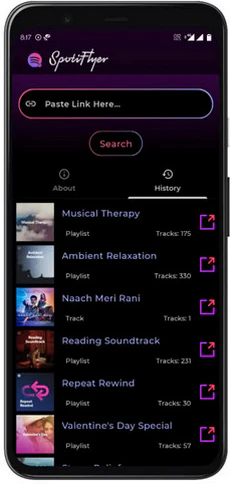
SpotiFlyer Apk is a free and open-source music downloader for Android. Users can simply paste Spotify links within the app to download and convert Spotify songs into MP3 files. It makes it easy to store Spotify music on an Android device.
| Platform | Output Format | 320kbps | Playlist Download | Ads-free | Batch Download |
| Android | MP3 | ✅ | ✅ | ✅ | ❌ |
|
Pros✅ Free and open-source Ad-free experience |
Cons⚠️
Batch download is not supported Sometimes crashes with errors |
Step 1Download and install the SpotiFlyer APK.
Step 2Copy and paste the Spotify link into the app, and click search.
Step 3Click the "Download" button to download music from Spotify on Android.
Quick Comparison of Spotify Downloaders
To help you quickly choose the best Spotify downloader, we have listed the 11 Spotify downloaders mentioned in this article for easy comparison.
| Tool Name | Platform | Output Format | 320kbps | Playlist Download | Ads-free | Batch download |
| KeepMusic | Win & Mac | MP3/AAC/WAV/FLAC/AIFF/ALAC | ✅ | ✅ | ✅ | ✅ |
| SpotMate | Online | MP3 | ✅ | ✅ | ✅ | up to 3 |
| SpotiDown | Online | MP3 | ✅ | ✅ | ❌ | up to 5 |
| Spotisaver | Online | MP3 | ✅ | ✅ | ✅ | up to 100 |
| Spomp3 | Online | MP3 | ✅ | ✅ | ❌ | Premium Only |
| SpotiLab | Online | MP3/FLAC/WAV | ✅ | ✅ | ❌ | up to 50 |
| SpotiSongDownloader | Online | MP3/M4A | ✅ | ✅ | ✅ | up to 100 |
| Spotdown.org | Online | MP3 | ✅ | ✅ | ❌ | ✅ |
| Spowload | Online | MP3 | ✅ | ✅ | ✅ | Premium Only |
| Sidify | Android | MP3/WAV/FLAC/ALAC | ✅ | ✅ | ✅ | ✅ |
| Spotiflyer | Android | MP3 | ✅ | ✅ | ✅ | ❌ |
Summary
The tools mentioned above, whether desktop software, online tools, or APK downloaders, can help you download Spotify music as high-quality 320kbps MP3 files. If you want a more stable and feature-rich solution, KeepMusic is a recommended choice. Whether it's a single track or an entire playlist, KeepMusic offers a more efficient and reliable music conversion experience.