


Best Y2Mate Alternatives in 2026: Safer and Better YouTube to MP3 Converter
 By Ada Staples
- Updated on: September 08, 2026
- Category: YouTube Music Tips
Y2Mate has always been the preferred tool for converting YouTube into MP3 format. However, its advertisements and page redirections have led many users to seek safer alternatives. This article will introduce you to the 3 best Y2Mate alternatives in 2026, aiming to offer you a safer and more reliable YouTube to MP3 conversion experience.
Quick Overview of the Best Y2Mate Alternatives (2026)
Here’s a quick side-by-side look at the key features of each option, so you can spot the best fit before diving into the details below.
| Feature | KeepMusic YouTube Music Converter | yt-dlp | Metube |
| Tool Type | Desktop software (Windows/Mac) | Open-Source CLI | Open-Source Web UI |
| Free | Free Trial | ✅ | ✅ |
| Ads & Pop-ups | ✅ None | ✅ None | ✅ None |
| Audio Format | MP3, AAC, WAV, FLAC, AIFF, ALAC | MP3, M4A, OPUS, WAV, FLAC | MP3, M4A, Opus, WAV, FLAC |
| Audio Quality | Lossless quality | Original source quality | Original source quality |
| Batch Download | ✅ Yes | ✅ Yes | ✅ Yes |
| ID3 Tag | ✅ Yes | ✅ Yes | ✅ Yes |
| Ease of Use | ⭐⭐⭐⭐⭐ | ⭐⭐ | ⭐⭐⭐ |
| Safety & Privacy | ✅ Local conversion, no data upload | ✅ Open-source, local processing | ✅ Self-hosted, full data control |
| Best For | High-quality MP3s with zero hassle | Advanced users & customization | Users who prefer a browser-based interface |
What is Y2Mate?
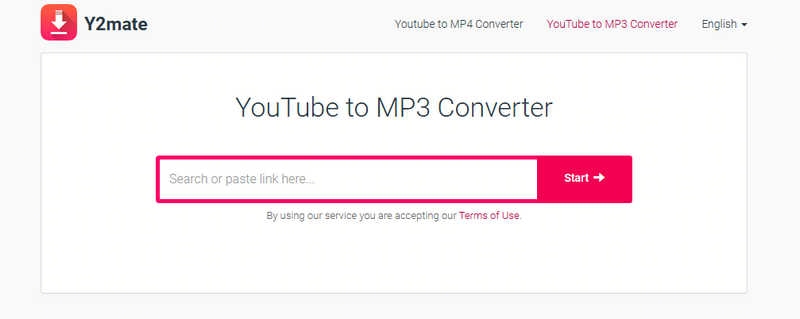
Y2Mate is a free online download and conversion tool that serves as a top choice for many users looking to download YouTube music and videos. Users only need to paste the YouTube link into the search box, and Y2Mate will automatically parse the link and provide the video and audio formats that can be downloaded. You can download videos in MP4 format or extract MP3 audio files without the need to register an account, install software or pay subscription fees.
Is Y2Mate YouTube to MP3 Converter Safe?
While Y2Mate can quickly convert YouTube to MP3 format, you need to be careful of ads, page redirects, and third-party content on its page.
Unverified Domain Names: Y2Mate has multiple mirror or clone websites with similar domain names, which makes it difficult for users to determine whether they are accessing an official website.
Fake Download Buttons: Some download buttons trigger unauthorised browser redirects to malicious websites when you click on them.
Advertisements and Pop-ups: Y2Mate Downloader frequently prompts users to allow notifications. Accepting this request grants the website permission to send spam adverts or pop-ups.
Privacy Data Collection: Y2Mate or its mirror sites may record the user's IP address, download history and the YouTube links requested by the user.
3 Best Y2Mate Alternatives for YouTube to MP3 Conversion
Whether it is to prevent malicious software from invading on Y2Mate, or to protect personal privacy, finding a safer and more reliable YouTube to MP3 Converter is essential. Next, this article will recommend 3 of the best Y2Mate alternatives in 2026 to help you easily download YouTube files as MP3.
1. KeepMusic YouTube Music Converter - Best Desktop Y2Mate Alternative for High-Quality Batch MP3s
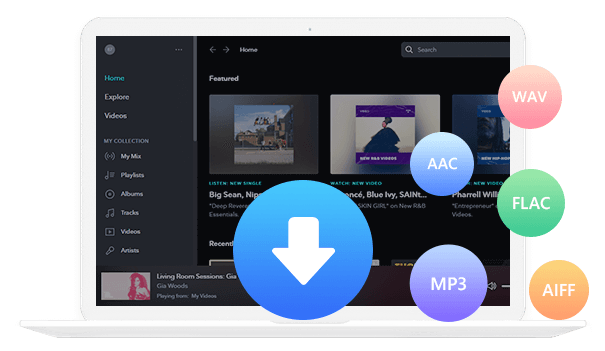
KeepMusic YouTube Music Converter is a professional desktop application designed specifically to download tracks from YouTube Music and convert them into common audio formats. It can save YouTube tracks in the highest 256kbps MP3 format, while automatically retaining key metadata such as titles, artists, albums and cover images.
Besides, this software supports multiple formats including AAC, WAV, FLAC, AIFF and ALAC. Batch downloading is another major advantage of KeepMusic YouTube Music Converter. Unlike with Y2Mate, you do not need to process songs one by one. Instead, you can download multiple tracks or an entire playlist in one go.
Why KeepMusic YouTube Music Converter is a Better Y2Mate Alternative:
| Feature | KeepMusic | Y2Mate |
| Output Formats | MP3, AAC, WAV, FLAC, AIFF, ALAC | MP3 only |
| Audio Quality | Original sound quality preserved | Often compressed or inconsistent |
| ID3 Tags | ✅ Preserves artist, album, and year metadata | ❌ No metadata preserved |
| Batch Download | ✅10X speed batch playlist download | ❌ Single file only |
| Ad-Free Experience | ✅Completely ad-free | ❌ Heavy pop-ups and redirects |
| Privacy Protection | ✅ Local conversion, no data collection | ❌ Records IP and download history |
KeepMusic YouTube Music Converter
- Download YouTube Music tracks, albums, and playlists.
- Convert YouTube Music to MP3, AAC, WAV, FLAC, AIFF, or ALAC.
- Batch download multiple tracks at up to 10X faster speeds.
- Retain high-quality audio and original ID3 tags.
- No need to install the YouTube Music app.
How to Convert YouTube Music to MP3 with KeepMusic YouTube Music Converter?
Step 1 Run YouTube to MP3 Converter
Download and run KeepMusic YouTube Music Converter on your computer.
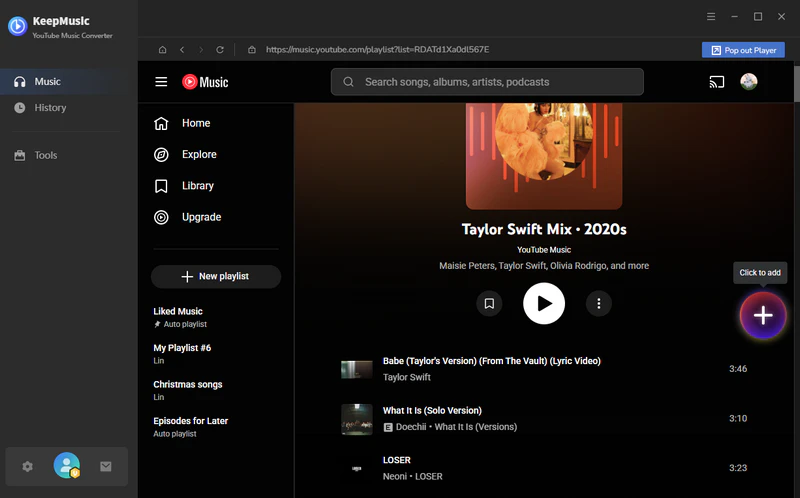
Step 2 Add YouTube Music Track or Playlist
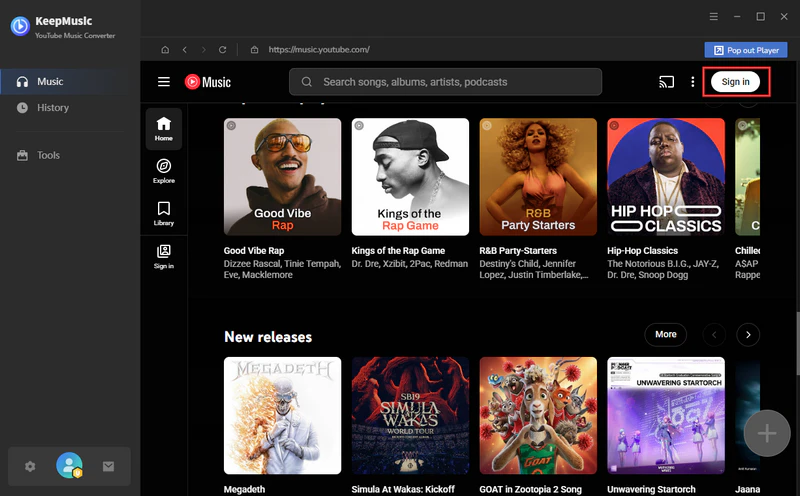
Search for and select the songs or playlists you wish to download using the program's built-in YouTube web player, then click the "Add" button to add them to the processing queue.
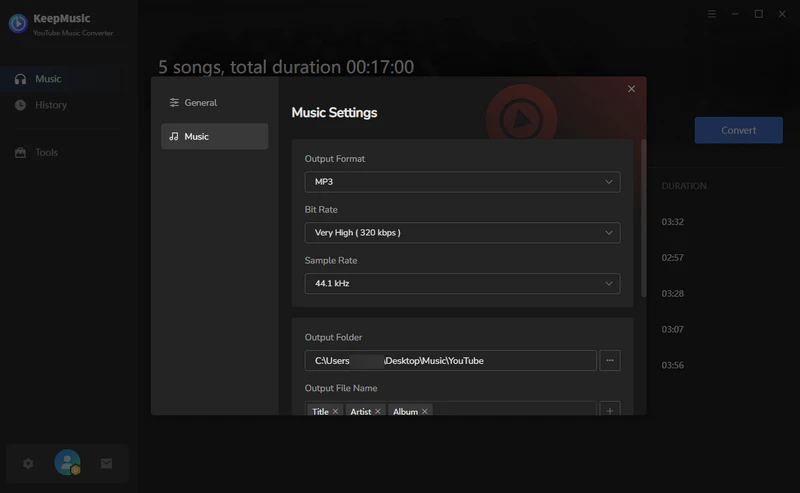
Step 3 Choose MP3 Output Format
Click the "Settings" button to open the window and choose the output settings.
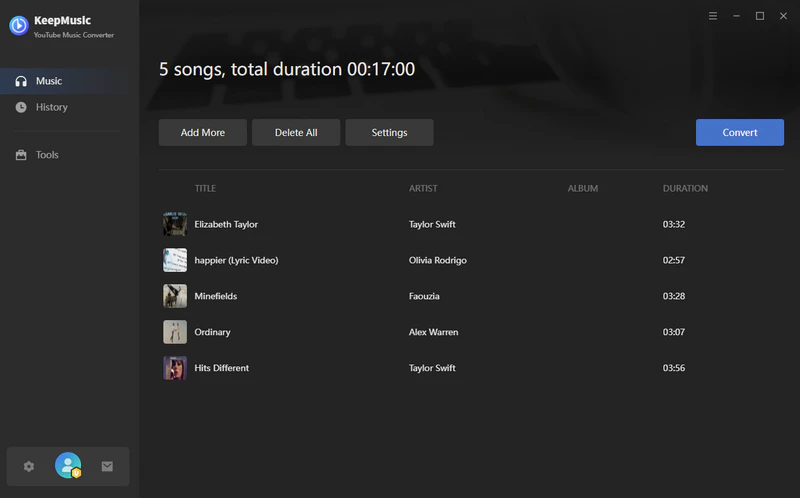
Step 4 Convert YouTube to MP3
Click the "Convert" button in the top-right corner to start the conversion.
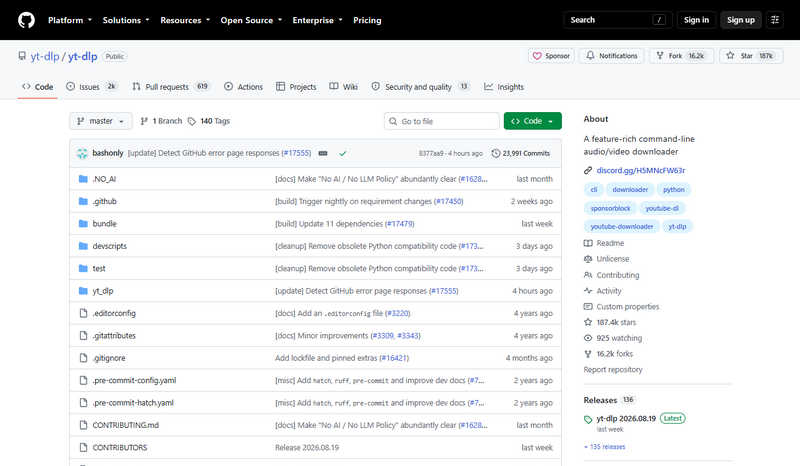
2. yt-dlp - Best Open-Source Y2Mate Alternative for Advanced Users
yt-dlp is widely regarded as the most powerful open-source tool for downloading YouTube music. This free and transparent YouTube MP3 downloader is ad-free and avoids the security risks and server stability issues commonly associated with web-based tools such as Y2Mate.
It also offers a wide range of options for selecting audio format, quality, metadata, playlists and other download settings. yt-dlp is widely recognised as one of the most reliable Y2Mate alternatives for users seeking complete control and a high degree of customisation.
How to Convert YouTube to MP3 with yt-dlp?
- Step 1: Install yt-dlp and FFmpeg on your computer.
- Step 2: Open the Command Prompt or Terminal, then run the following command: yt-dlp -x --audio-format mp3 "YOUR_YOUTUBE_URL".
- Step 3: yt-dlp will download the audio and use FFmpeg to convert it to MP3 format.
3. Metube - Best Self-Hosted Y2Mate Alternative with a Web UI
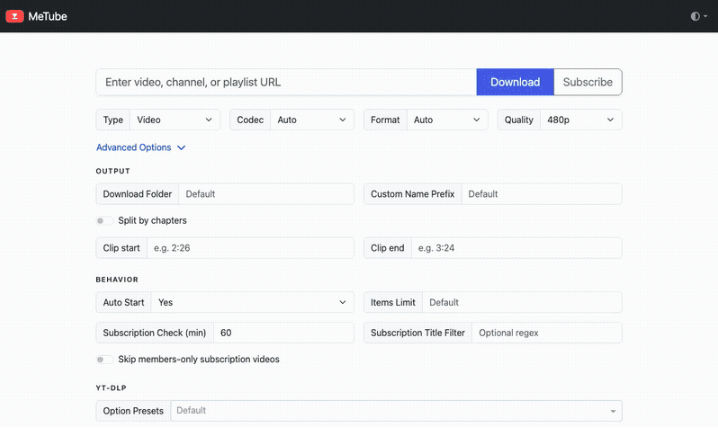
MeTube is an open-source, self-hosted Web UI that lets you use yt-dlp through a browser instead of the command line. If you are looking for an online YouTube MP3 converter like Y2Mate, but want to avoid ads and privacy risks, MeTube is one of the safest online Y2Mate alternatives available.
Just paste the YouTube music link into the MeTube interface, select the download option, and you can start the conversion. MeTube can easily parse the entire YouTube playlist and allows users to directly download YouTube to MP3 format.
How to Convert YouTube to MP3 Using MeTube?
- Step 1: Install Docker on your computer and configure MeTube.
- Step 2: Open the MeTube web interface and paste the YouTube URL.
- Step 3: Select the audio download option and set the output format to MP3.
- Step 4: Start the download and locate the converted MP3 file in your designated download folder.
FAQ About Y2Mate Alternative
1. What is the best free Y2Mate alternative for YouTube to MP3?
yt-dlp is one of the best free alternatives to Y2Mate for converting YouTube videos to MP3. It is an open-source software that supports multiple formats and offers a wide range of customization options.
However, using it requires some knowledge of command-line operations. If you want to use the full functionality of yt-dlp via a graphical interface, MeTube provides a straightforward web interface that allows you to complete downloads easily within your browser.
2. How do I extract YouTube to MP3?
The quickest way is to use a YouTube MP3 converter that supports direct YouTube URL input. Simply paste the YouTube link, select MP3 as the output format, and start the conversion. For the best results, use a tool that supports high-quality audio extraction.
3. What is the best and safest YouTube downloader?
For ordinary users, KeepMusic YouTube Music Converter is the safest option as it has no ads or page redirects and supports high-quality MP3 downloads. For advanced users, yt-dlp is the safest open-source choice, giving users greater control over the download process.
Summary
Although Y2Mate is convenient, its potential safety risks and unstable performance make it far from an ideal choice for long-term use. Whether you are looking for a simple and easy-to-use desktop conversion software like KeepMusic YouTube Music Converter or a powerful open-source tool such as yt-dlp and Metube, the Y2Mate alternatives introduced in this article can provide you with a safer and more reliable way to convert YouTube to MP3.
 Free Download
Special Recommendation
 Free Download
Special Recommendation